
Data cleanup in HubSpot: Tips and tools
By Heinz Klemann on Feb 25, 2026, 9:00:01 AM
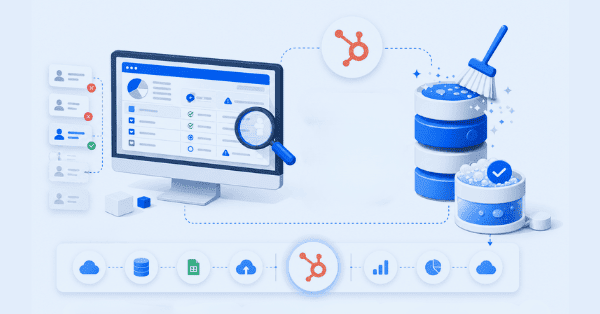
Clean CRM data is the foundation of successful marketing and sales activities. To ensure effective data cleanup in HubSpot, it is important to understand the right properties and use the appropriate tools. Data enrichment is also an important aspect; however, the focus here is on how to clean your CRM data and maintain long-term data quality.
Why Data Quality in HubSpot and CRM Systems Matters
The quality of your CRM data forms the foundation for all marketing and sales activities in HubSpot. Inaccurate, outdated, or duplicate contact data leads to high bounce rates, inefficient campaigns, incorrect segmentations, and ultimately wasted budget (licenses, time, operational costs, and cleanup efforts). When email lists are overloaded with inactive addresses or important contact information is missing, not only does deliverability suffer, but campaign performance evaluation becomes unreliable and the contact database becomes difficult — if not impossible — to manage effectively.
High-quality data enables precise segmentation, relevant communication, and meaningful reporting. It forms the basis for data-driven decisions and helps make the ROI of your marketing investments measurable. This is especially important for B2B mid-sized companies looking to make informed business decisions. Poor data quality not only costs money but also damages trust. When sales representatives work with incorrect information or marketing teams target outdated contacts, it appears unprofessional. A systematic data cleanup process in HubSpot creates the foundation for efficient workflows, higher conversion rates, and seamless collaboration between marketing and sales.
The Most Common Data Problems in HubSpot CRM
The three most common issues are duplicate contacts, outdated or invalid contacts, and contacts with incomplete or poorly formatted core information.
Duplicate contacts are among the most common problems in HubSpot and other CRM systems. They are often caused by form submissions with slightly different email addresses, manual imports, or missing deduplication rules. Duplicate records distort reporting data, lead to multiple touchpoints with the same person, and make it difficult to properly attribute interactions within the customer journey.
Outdated or incorrect information gradually accumulates in every database over time. Contacts change companies, email addresses become invalid, and job positions evolve. If irrelevant contacts are not removed or replaced, you end up working with inaccurate CRM data that harms your sender reputation, marketing performance, and overall sales efforts. Tools like ZeroBounce can help with this. We are a ZeroBounce partner and are happy to offer a free consultation.
Incomplete, poorly formatted, or inconsistently formatted records are another common issue. Contacts without company information, missing phone numbers, or empty properties such as industry reduce segmentation capabilities significantly. Of course, there may be additional fields that are especially important for your specific business. The situation becomes particularly problematic when critical information for lead scoring or workflow triggers is missing — automations fail, and potential customers slip through the cracks. Formatting issues such as inconsistent country abbreviations, varying date formats, or incorrect phone number formats can also disrupt automated processes and complicate data analysis.
Step-by-Step Guide to Data Cleanup
In general, you should use the data quality features directly available within HubSpot. These include duplicate management, formatting, and enrichment capabilities. You should also leverage HubSpot indicators such as hard bounces or low engagement to move contacts into non-marketing status or clean them from your database. The final step should be validating the remaining contacts for accuracy and deliverability using ZeroBounce.
If you do not have the required HubSpot license to access these standard features, or if you are using a different CRM system, proceed as follows: Create lists of problematic contacts. The primary focus should be on identifying incomplete and duplicate contacts. Hard-bounced contacts can be identified and removed with any license level. ZeroBounce can also be used independently of your CRM system or license.
For data enrichment, you will either need HubSpot credits or another external tool unless enrichment is already included in your subscription. Another important topic is cleaning up unused properties, although this article does not cover that in detail. Nevertheless, it is generally advisable to regularly review your properties to ensure they still serve a meaningful purpose. If you need support during the process, we are happy to assist you as an experienced HubSpot partner agency.
Finally, document your cleanup criteria and processes. Define clear rules for data formats, required fields, and naming conventions. This documentation is essential for onboarding new employees and maintaining data quality in daily operations.
HubSpot Tools and Workflows for Automated Data Maintenance
Most importantly, implement workflows that automatically clean and standardize data according to your defined processes and criteria. HubSpot also offers powerful native tools for maintaining data quality. The duplicate management system automatically detects potential duplicates based on configurable rules and suggests merges. You can define which properties should act as duplicate indicators — typically email address, company name, or phone number. Automatic duplicate detection can be configured to run continuously in the background.
Workflows are at the core of automated data maintenance in HubSpot. Create workflows that automatically standardize data fields, enrich missing information, or segment contacts based on activity. For example, a workflow can automatically standardize country fields when different variations (Germany, DE, Deutschland) are used. Another workflow could assign contacts without a company association to a task queue for manual review. You could also build a workflow that automatically marks hard bounces as “Non-Marketing Contacts.”
You can also create workflows that generate tasks for sales representatives — for example, manually completing missing fields when important information is absent.
Property validation and required fields help prevent errors during data entry. Define validation rules for important form fields such as email addresses, phone numbers, or ZIP codes. Single-checkbox GDPR consent properties should always be mandatory to ensure legal compliance.
Summary & Best Practices for Sustainable Long-Term Data Quality
Establish clear ownership and responsibility for data maintenance. Define clear data quality standards and monitor them regularly. Without clear accountability, every database will eventually fall back into old habits.
Train all employees working with HubSpot on your defined data standards. Marketing, sales, and customer service teams must understand why data quality matters and how proper data entry and maintenance contribute to business success. Create simple checklists and quick-reference guides for the most common data entry scenarios.
Implement preventive measures instead of relying solely on reactive cleanup. Consistently use form validation, required fields, and dropdown menus. Set up workflows that automatically check new contacts for completeness and create follow-up tasks when necessary. The earlier you catch data issues, the less effort will be required later.
Continuously monitor data quality using meaningful KPIs. Define metrics such as duplicate rate, completeness rate of important properties, bounce rate, or the percentage of inactive contacts. Build dashboards in HubSpot or Looker Studio to visualize these metrics and identify trends. Regular reporting helps detect problems early and measure the effectiveness of your initiatives.
Schedule regular data audits — at least quarterly, or monthly for highly dynamic databases. These structured reviews should include duplicate checks, validation of important segments, workflow rule reviews, and updates to your data governance documentation. Data quality is not a one-time project but an ongoing process that deserves continuous strategic attention. If you need support, feel free to schedule a meeting with us.
You May Also Like
These Related Stories

Golden Record

Problems with CRM Tools in 2026